### Do you want to receive notifications for new releases? [Watch this repo ](https://github.com/mob-sakai/UnmaskForUGUI/subscription)
|**Unmask**|Reverse masking for parent Mask component.<br><br>**Fit Target / Fit On Late Update:** Fit graphic's transform to target transform on LateUpdate.<br>**Only For Children:** Unmask affects only for children.<br>**Show Unmask Graphic:** Show the graphic that is associated with the unmask render area.|<imgsrc="https://user-images.githubusercontent.com/12690315/51745704-0e3e2a00-20e7-11e9-8da8-5abb1c5193bc.png"width="600px">|
|**UnmaskRaycastFilter**|The ray Passes through the unmasked rectangle.<br>You can click on the unmasked button on the back side.|<imgsrc="https://user-images.githubusercontent.com/12690315/51745958-ebf8dc00-20e7-11e9-8cfc-8174e6ab2b7c.png"width="600px">|
1. Add Unmask component to the UI element (Image, RawImage, Text, etc...) under Mask, from `Add Component` in inspector or `Component > UI > Unmask > Unmask` menu.
2. If you want to unmask the area of the button, follow the steps below:
|Unmasked text|Black screen is cut out with unmasked text.||
|Hole|Black screen is cut out with unmasked Image.||
|Tutorial button|In tutorial, only specific button can be pressed.|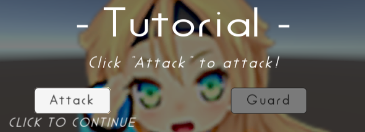|
|Transition|Transition effect with silhouette.||

