UnmaskForUGUI/README.md

128 lines
5.5 KiB
Markdown
Raw Normal View History

2019-01-25 19:14:18 +08:00
UnmaskForUGUI
===
Reverse mask for uGUI element in Unity.
![](https://user-images.githubusercontent.com/12690315/46914021-c6c9dd00-cfd2-11e8-9698-6332bac8fef5.png)
[![](https://img.shields.io/github/release/mob-sakai/UnmaskForUGUI.svg?label=latest%20version)](https://github.com/mob-sakai/UnmaskForUGUI/releases)
[![](https://img.shields.io/github/release-date/mob-sakai/UnmaskForUGUI.svg)](https://github.com/mob-sakai/UnmaskForUGUI/releases)
![](https://img.shields.io/badge/unity-5.5%2B-green.svg)
2019-01-25 19:40:45 +08:00
[![](https://img.shields.io/github/license/mob-sakai/UnmaskForUGUI.svg)](https://github.com/mob-sakai/UnmaskForUGUI/blob/upm/LICENSE.txt)
2019-01-25 19:14:18 +08:00
[![PRs Welcome](https://img.shields.io/badge/PRs-welcome-orange.svg)](http://makeapullrequest.com)
2019-01-25 19:40:45 +08:00
<< [Description](#Description) | [WebGL Demo](#demo) | [Download](https://github.com/mob-sakai/UnmaskForUGUI/releases) | [Install](#install) | [Usage](#usage) >>
2019-01-25 19:14:18 +08:00
2019-01-25 19:40:45 +08:00
### What's new? [See changelog ![](https://img.shields.io/github/release-date/mob-sakai/UnmaskForUGUI.svg?label=last%20updated)](https://github.com/mob-sakai/UnmaskForUGUI/blob/upm/CHANGELOG.md)
2019-01-25 19:14:18 +08:00
### Do you want to receive notifications for new releases? [Watch this repo ![](https://img.shields.io/github/watchers/mob-sakai/UnmaskForUGUI.svg?style=social&label=Watch)](https://github.com/mob-sakai/UnmaskForUGUI/subscription)
<br><br><br><br>
## Description
Unmask provides the following features:
1. Reverse mask
2. Ray through the unmasked rectangle
3. Following another object
4. Support nesting
| Component | Features | Screenshot |
|-|-|-|
2019-01-25 19:40:45 +08:00
|**Unmask**|Reverse masking for parent Mask component.<br><br>**Fit Target / Fit On Late Update:** Fit graphic's transform to target transform on LateUpdate.<br>**Only For Children:** Unmask affects only for children.<br>**Show Unmask Graphic:** Show the graphic that is associated with the unmask render area.|<img src="https://user-images.githubusercontent.com/12690315/51745704-0e3e2a00-20e7-11e9-8da8-5abb1c5193bc.png" width="600px">|
|**UnmaskRaycastFilter**|The ray Passes through the unmasked rectangle.<br>You can click on the unmasked button on the back side.|<img src="https://user-images.githubusercontent.com/12690315/51745958-ebf8dc00-20e7-11e9-8cfc-8174e6ab2b7c.png" width="600px">|
2019-01-25 19:14:18 +08:00
<br><br><br><br>
## Demo
[WebGL Demo](http://mob-sakai.github.io/UnmaskForUGUI)
![demo](https://user-images.githubusercontent.com/12690315/46986251-4e296480-d129-11e8-8e3a-2bb0e5fbe533.gif)
2019-01-25 19:40:45 +08:00
<br><br><br><br>
## Install
#### Using UnityPackageManager (for Unity 2018.3+)
Find the manifest.json file in the Packages folder of your project and edit it to look like this:
```js
{
"dependencies": {
"com.coffee.unmask": "https://github.com/mob-sakai/UnmaskForUGUI.git#1.1.0",
...
},
}
```
To update the package, change `#1.1.0` to the target version.
Or, use [UpmGitExtension](https://github.com/mob-sakai/UpmGitExtension).
#### Using .unitypackage file (for Unity 5.5+)
Download `*.unitypackage` from [Releases](https://github.com/mob-sakai/UnmaskForUGUI/releases) and import the package into your Unity project.
Select `Assets > Import Package > Custom Package` from the menu.
![](https://user-images.githubusercontent.com/12690315/46570979-edbb5a00-c9a7-11e8-845d-c5ee279effec.png)
2019-01-25 19:14:18 +08:00
<br><br><br><br>
## Usage
1. Download `*.unitypackage` from [Releases](https://github.com/mob-sakai/UnmaskForUGUI/releases).
2. Import the package into your Unity project. Select `Import Package > Custom Package` from the `Assets` menu.
![](https://user-images.githubusercontent.com/12690315/46570979-edbb5a00-c9a7-11e8-845d-c5ee279effec.png)
3. Add Unmask component to the UI element (Image, RawImage, Text, etc...) under Mask, from `Add Component` in inspector or `Component > UI > Unmask > Unmask` menu.
4. If you want to unmask the area of the button, follow the steps below:
* Set the button to `Fit Target` in Unmask component.
* If the button moves with animation etc., enable `Fit On LateUpdate` in Unmask component.
* Add a UnmaskRaycastFilter component to UI element blocking ray.
* Set the Unmask to `Unmask` in UnmaskRaycastFilter component.
* Disable `RaycastTarget` of the UI elements, as necessary.
![](https://user-images.githubusercontent.com/12690315/46986095-8a0ffa00-d128-11e8-83ac-9151e2d8635d.gif)
1. Enjoy!
##### Requirement
* Unity 5.5+ *(included Unity 2018.x)*
* No other SDK are required
<br><br><br><br>
## Example of using
| Case | Description |Screenshot |
|-|-|-|
|Unmasked text|Black screen is cut out with unmasked text.|![](https://user-images.githubusercontent.com/12690315/46914021-c6c9dd00-cfd2-11e8-9698-6332bac8fef5.png)|
|Hole|Black screen is cut out with unmasked Image.|![](https://user-images.githubusercontent.com/12690315/46985696-9b580700-d126-11e8-9b4a-3d66180c9562.png)|
|Tutorial button|In tutorial, only specific button can be pressed.|![](https://user-images.githubusercontent.com/12690315/46983810-30560280-d11d-11e8-86d5-b25117740df4.png)|
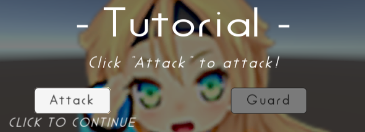
|Transition|Transition effect with silhouette.|![](https://user-images.githubusercontent.com/12690315/46983811-30560280-d11d-11e8-8d81-b38679cf9970.gif)|
<br><br><br><br>
## License
* MIT
* © UTJ/UCL
## Author
[mob-sakai](https://github.com/mob-sakai)
## See Also
* GitHub page : https://github.com/mob-sakai/UnmaskForUGUI
* Releases : https://github.com/mob-sakai/UnmaskForUGUI/releases
* Issue tracker : https://github.com/mob-sakai/UnmaskForUGUI/issues
* Current project : https://github.com/mob-sakai/UnmaskForUGUI/projects/1
2019-01-25 19:40:45 +08:00
* Change log : https://github.com/mob-sakai/UnmaskForUGUI/blob/upm/CHANGELOG.md